Configuring Alias Patterns
You can add a device alias during device enrollment and set up alias patterns for existing and new devices.
|
|
TIP: The pattern set is applied while enrolling a new device. If no pattern is selected, the default pattern ‘%device.Name%’ gets applied. |

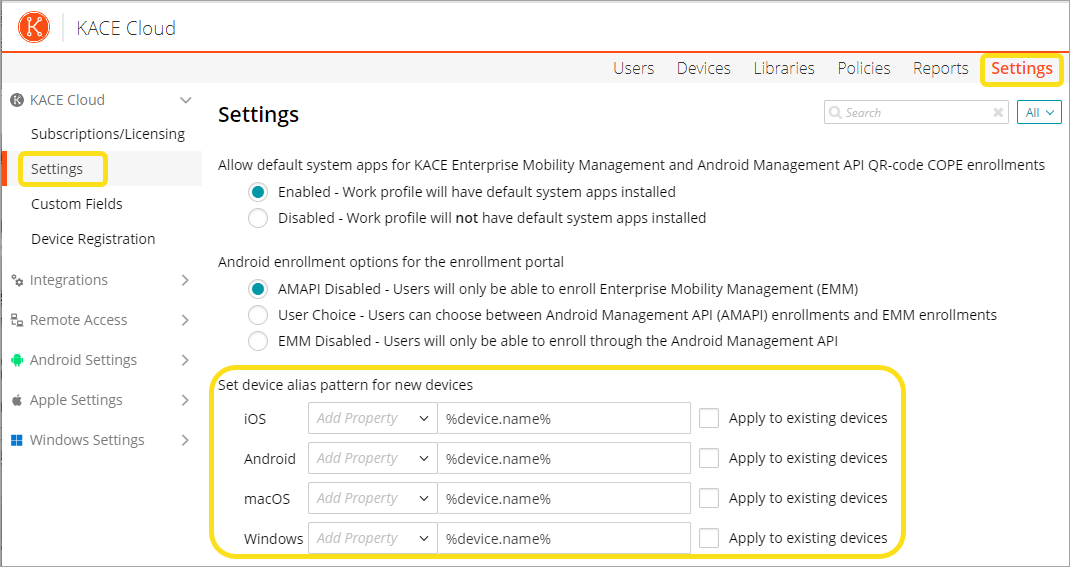
To configure an alias pattern,
- Go to Settings in the top navigation.
- In the left navigation, select KACE Cloud > Settings.
- In the Enrollments section, configure the alias pattern for different operating systems (iOS, Android, macOS, Windows).
- Select the property from the Add Property drop-down list.
-
Select the Apply to existing devices checkbox to apply the settings to existing devices, ensuring uniform alias names across the system.
After setting the alias pattern, the new alias name gets reflected throughout the console.